Android File Transfer for Mac
Cablehop moves files between your Mac and your Android phone over a USB cable or Wi-Fi. Browse your phone like a Finder window and drag files both ways. Nothing to install on the phone. Free and open source.
Download for Mac View on GitHub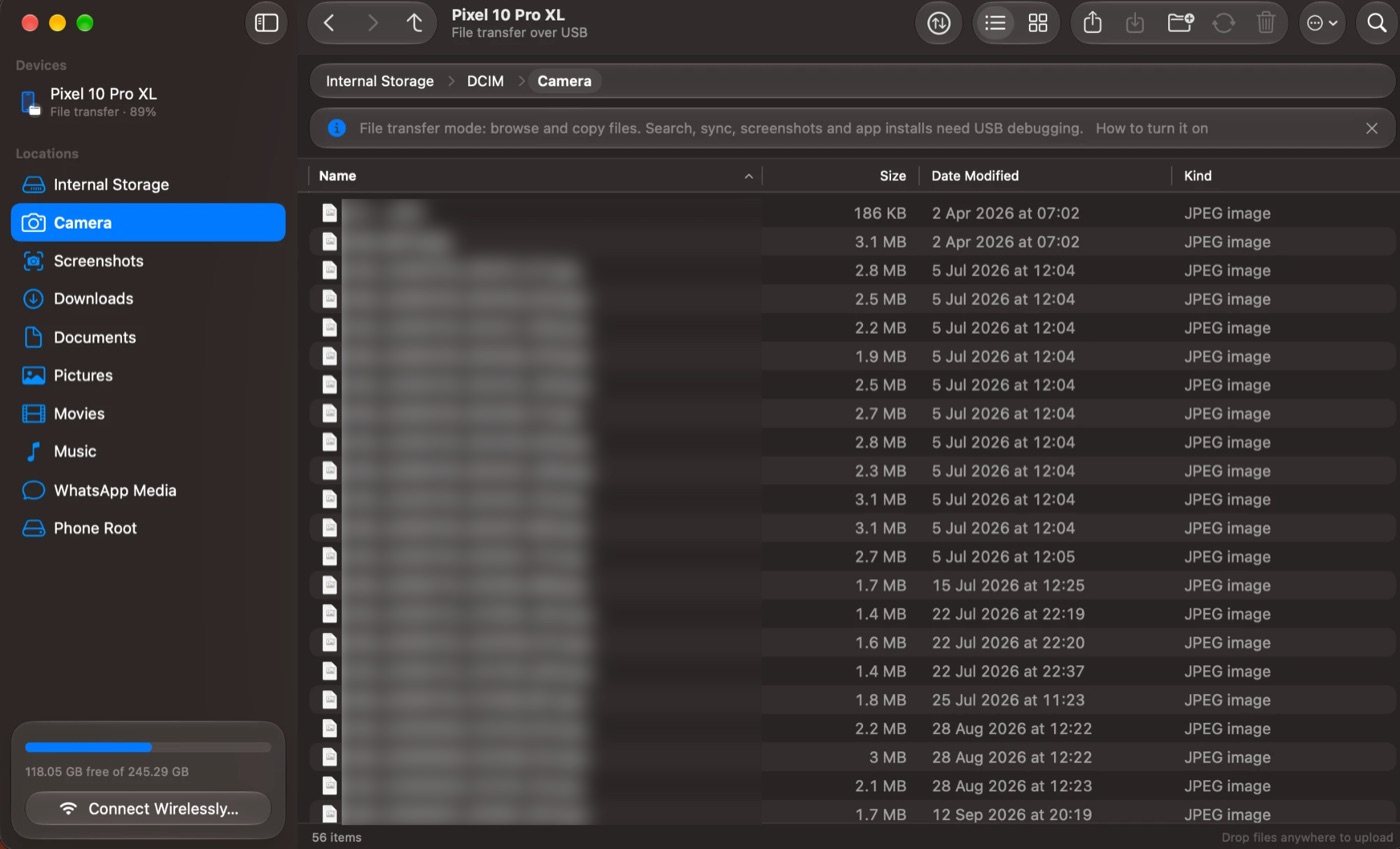
Why Cablehop?
Macs can't open an Android phone the way they open an iPhone or a USB drive. Google's own Android File Transfer app is discontinued, and the alternatives I tried were slow, overpriced, finicky and just not very good. So I built Cablehop, mainly for myself. It works well enough now that anyone can use it, free.
What it does
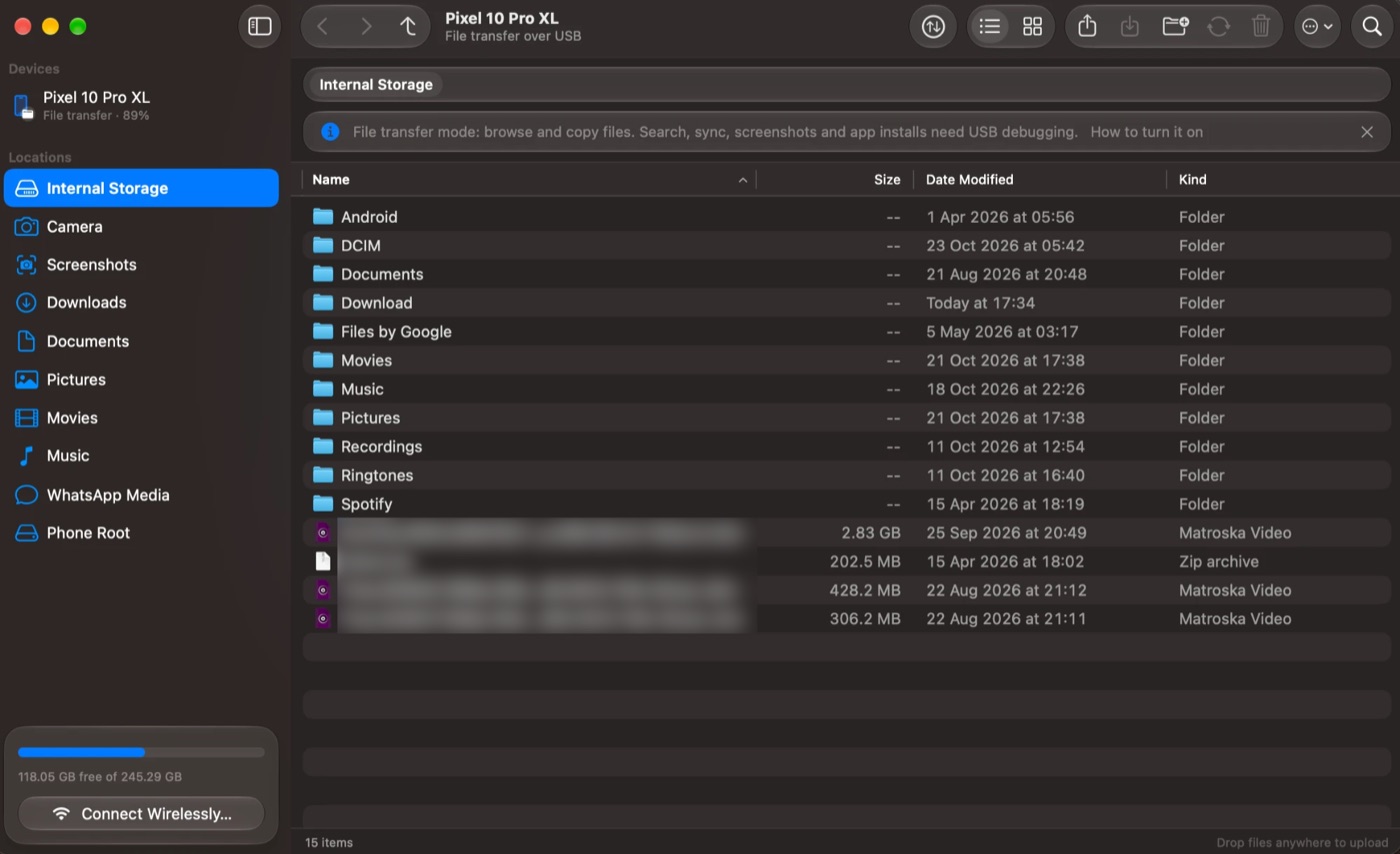
A native Mac app: Finder-style lists, Quick Look, the usual shortcuts, Light and Dark Mode, and Apple's Liquid Glass design on macOS 26 and later.
Browse like Finder
See every folder on your phone in a sortable list or a photo grid with thumbnails. Press Space for Quick Look.
Drag and drop both ways
Drag files from the phone into Finder, or from Finder onto the phone. Drop on a folder to send files straight into it.
No setup on the phone
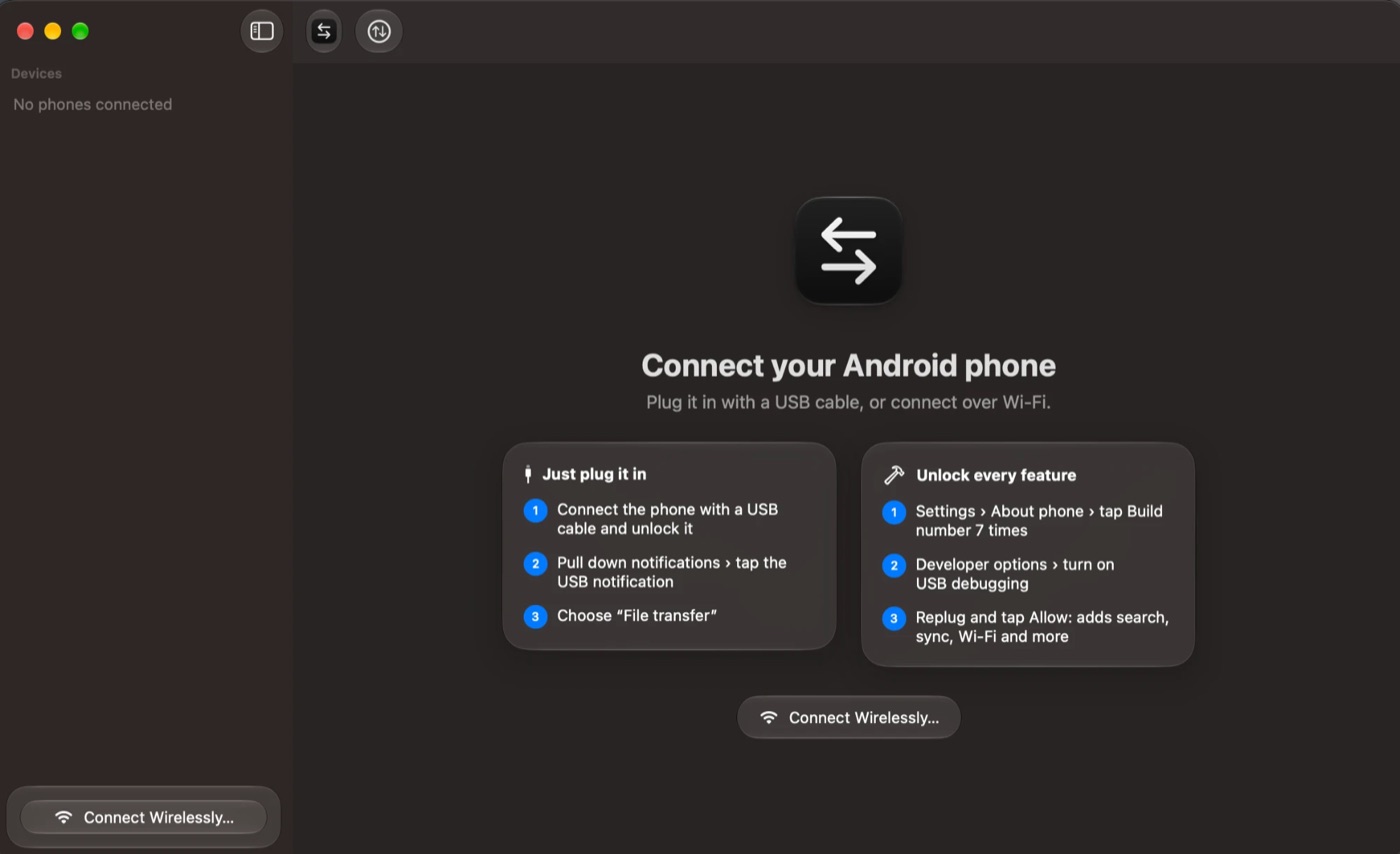
Uses the standard USB File transfer option every Android phone has. No app, no driver, no root.
USB or Wi-Fi
Plug in a cable, or connect wirelessly with a QR code, a pairing code or an IP address (optional USB debugging).
Big transfers, handled
A transfers button shows progress, speed and time left. Cancel, retry and see your history. Large files work.
Extras with USB debugging
Search the whole phone, keep folders in sync, copy and move on the phone itself, take screenshots and install apps.
Unmount, then unplug
Eject the phone like a disk before pulling the cable, so no copy is cut off halfway. A reminder shows each time you plug in.
Safe by design
Asks before replacing files, never overwrites on your Mac, protects important phone folders, and checks downloads.
Updates itself
Check for Updates installs new versions that are signed and verified. Logs stay on your Mac, with Save Logs for bug reports.
Screenshots
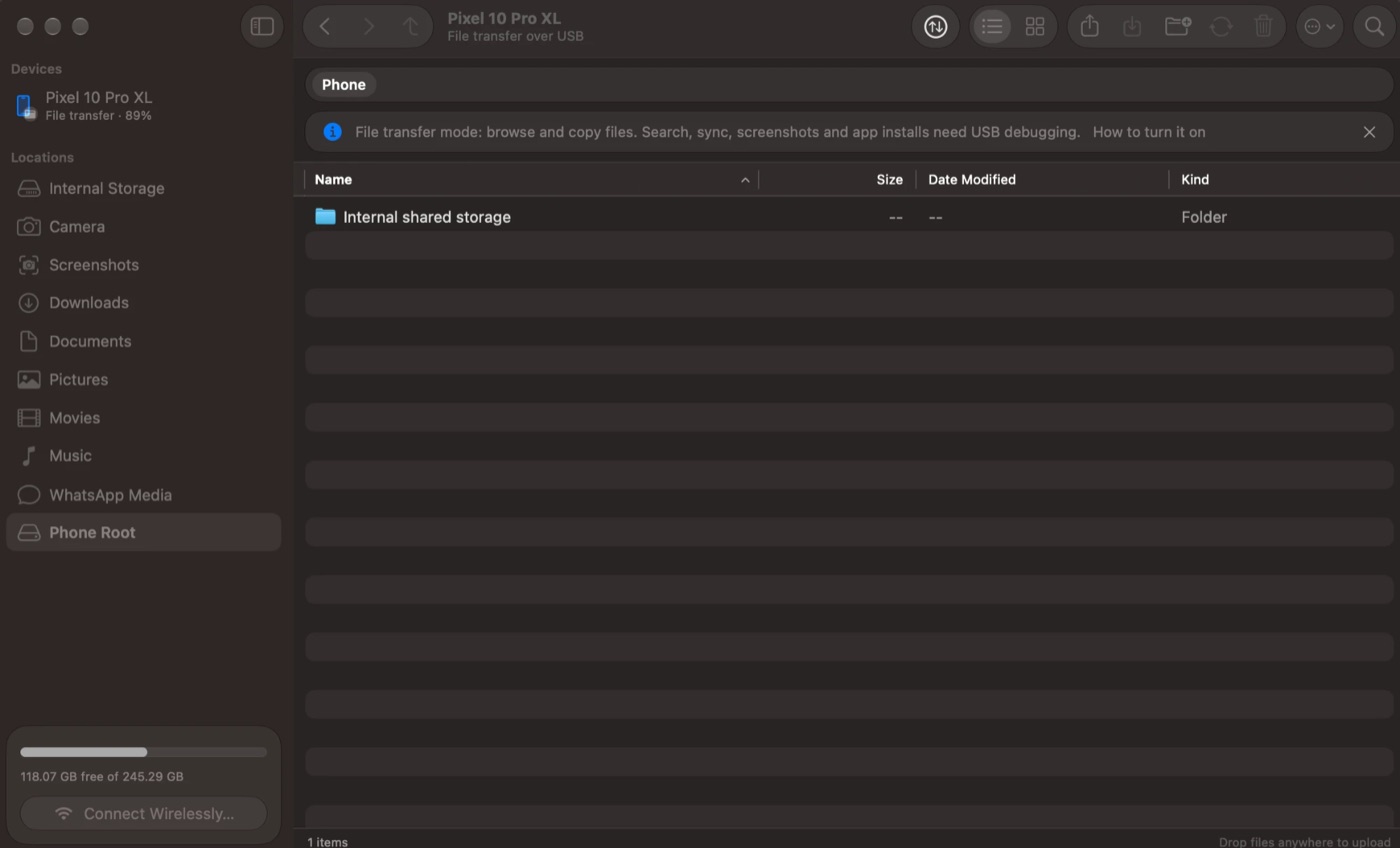
Cablehop on macOS 26, with a Google Pixel connected over USB.
Install in a minute
Works on any Apple silicon (M1 and later) or Intel Mac with macOS 14 or later, and any Android phone.
With Homebrew:
brew trust --cask negasonicteenagewarperson/tap/cablehop
brew install --cask negasonicteenagewarperson/tap/cablehop
Or from the disk image:
- Download Cablehop.dmg, open it and drag Cablehop onto Applications.
- Open Cablehop. The first time, macOS says it can't verify the app because it isn't notarized by Apple: click Done, then go to System Settings › Privacy & Security and click Open Anyway. You only do this once.
- Plug your phone in with a USB cable, unlock it, pull down the notifications, tap the USB notification and choose File transfer.
- Your phone appears in the sidebar. Browse, and drag files in or out.
- When you're done, click the eject button (⏏) to unmount the phone, then unplug the cable.
For the optional extras (search, sync, screenshots, Wi-Fi), turn on USB debugging and install Google's free platform tools. The README has the steps.
Cablehop compared
| Google Android File Transfer | Discontinued by Google. USB only. |
|---|---|
| MacDroid | Has a free tier; the full feature set needs a paid plan. |
| OpenMTP | Free and open source, built with web technology rather than as a native Mac app. |
| Cablehop | Free and open source, native Mac app, USB and Wi-Fi, photo thumbnails, Quick Look, folder sync, signed auto-updates. |
Product names belong to their owners. Summary written from public information; features and prices may change.
Questions
How do I transfer files from an Android phone to a Mac?
Install Cablehop, plug your phone in, unlock it and choose File transfer in the USB notification. The phone appears in Cablehop's sidebar. Browse its folders and drag files between it and Finder.
Is Cablehop a replacement for Android File Transfer?
Yes. Google's Android File Transfer is discontinued. Cablehop does the same job and more: a Finder-style window, drag and drop both ways, photo thumbnails, Quick Look, Wi-Fi, a transfers list and signed updates.
Do I need to install anything on my phone?
No. File transfer mode uses the standard USB option every Android phone has. USB debugging is optional and only adds extras.
Does it work on Apple silicon (M1, M2, M3, M4) and Intel Macs?
Yes. It's a universal app and needs macOS 14 Sonoma or later. On macOS 26 and later it uses Apple's Liquid Glass design.
Which Android phones work?
Any phone with File transfer (MTP) over USB: Google Pixel, Samsung, Xiaomi, OnePlus, Motorola, Sony, Nothing, Oppo, Vivo and others.
Why does macOS warn me the first time I open it?
The app isn't notarized by Apple, which needs a paid developer account. Click Done, then open System Settings › Privacy & Security and click Open Anyway. You only do this once.
Is it free and safe?
It's free and MIT-licensed, and the source code is public on GitHub. No accounts, ads or tracking. Logs stay on your Mac, and updates are signed and checked before they install.
Something isn't working. What do I do?
Choose Help › Report a Problem in the app. It helps you save your logs, then opens GitHub Issues.